
User Guide: Company Incorporation - Special Purpose (AML)
Overview
This form is used to incorporate a new special purpose company (typically for use as a corporate trustee of an SMSF) and includes Anti-Money Laundering and Counter-Terrorism Financing (AML/CTF) compliance requirements under Tranche 2 AML/CTF laws. Company incorporation is a designated service (item 6) under the AML/CTF Act, meaning Smarter SMSF has Customer Due Diligence (CDD) obligations for the director(s) and any shareholder(s) holding 25% or more of the company.
The form is divided into three tabs: Company Details, Officeholders, and Payment.
Tab 1: Company Details
Reference
Enter an internal reference for the order (required). This will show up in your order history so you can easily identify it later.
Customer Identity Verification (AML/CTF)
This is the first AML/CTF checkpoint on the form.
Field: Have you completed full KYC (not concession-only) for all directors/shareholders? Select Yes or No.

If Yes is selected, you must tick a declaration
I/We hereby declare that, in accordance with the Reliance Agreement executed with Smarter SMSF and the AML/CTF Act 2006 (Cth), full KYC procedures have been completed for all persons associated with this order who are required to be verified under applicable AML/CTF laws — including all directors of the company to be incorporated and all shareholders required to be identified as beneficial owners of that company under those laws — there is no known or suspected money laundering, terrorism financing, or other criminal activity in relation to any such person, and the KYC procedures were not satisfied solely by reliance on a continuing client concession — where such a concession has been applied, full Initial CDD has been separately completed for that person in connection with this specific order.
If No is selected, KYC verification will instead be triggered per person in the Officeholders tab (see below).
Company Details
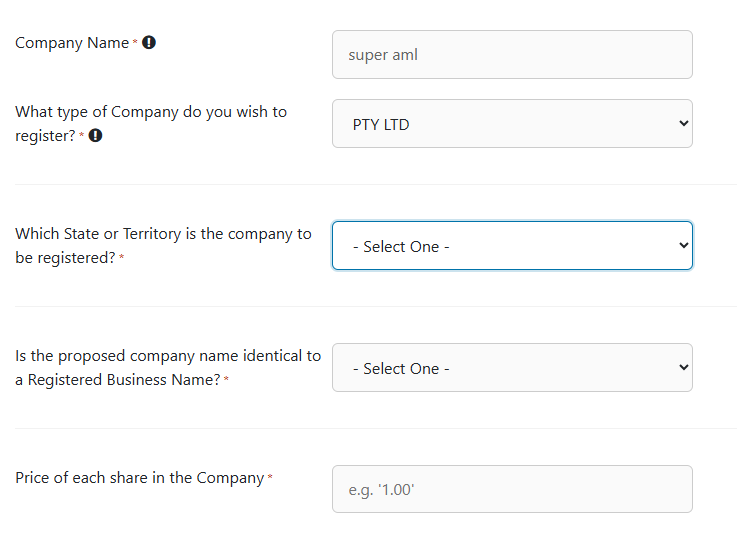
Complete the following fields: a Company Name (checked against the selected Legal Elements suffix using the Validate button — note the second, read-only Company Name field below only populates once a name has been validated as acceptable to ASIC), the type of company you wish to register (all options carry the same legal status; it's simply a naming suffix preference), the State or Territory of registration, whether the proposed name is identical to a Registered Business Name, and the price per share in the company.
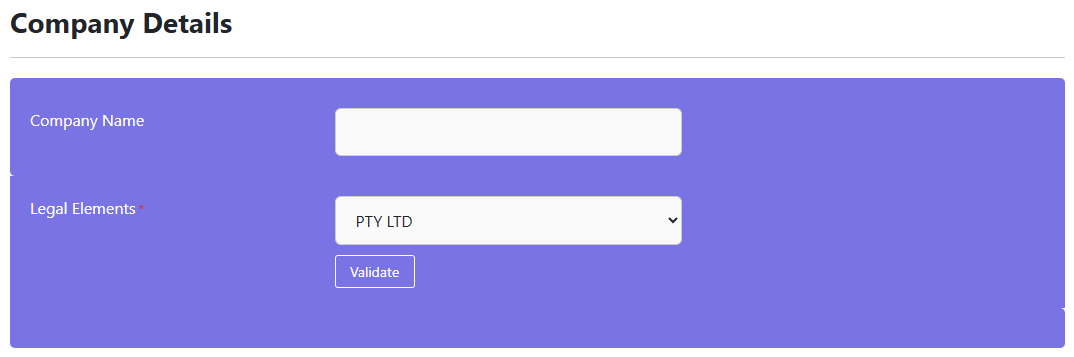
 For details of name search responses, see our knowledge base article - https://smarter-smsf.helpscoutdocs.com/article/261-company-name-searches-now-available
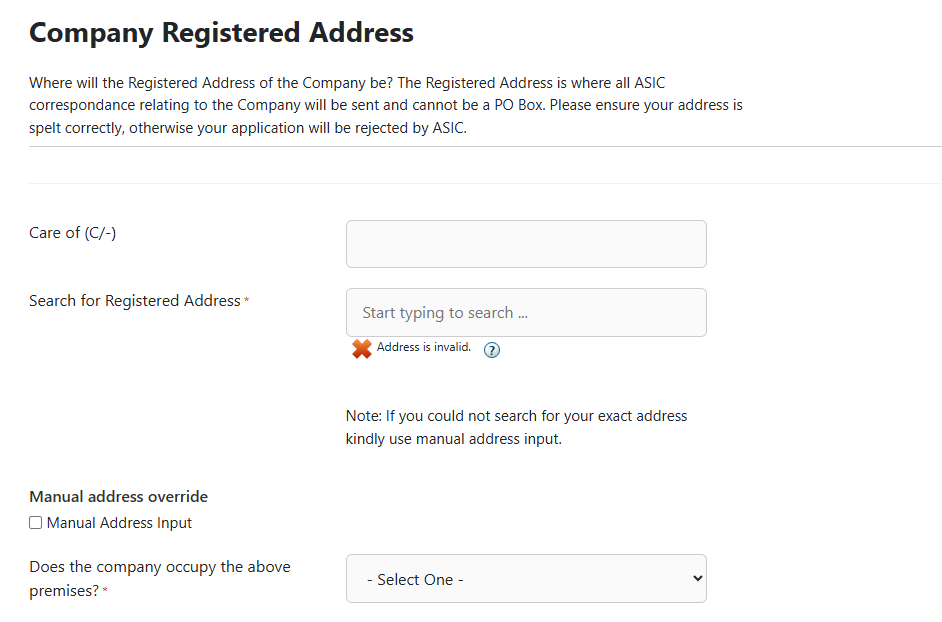
Company Registered Address
Enter the address using the search field (cannot be a PO Box). If the lookup doesn't find your exact address, tick Manual Address Input. You must also confirm whether the company occupies the premises, or whether you hold written consent from the occupier to use it as the registered office.
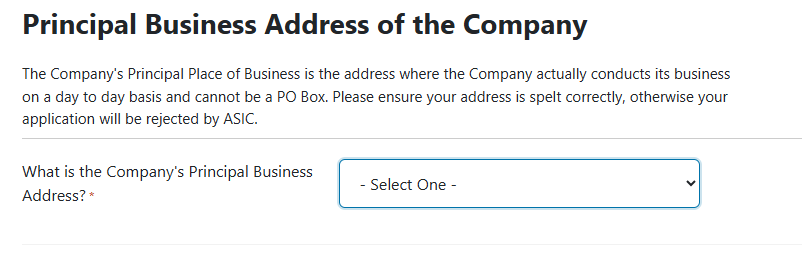
Principal Business Address
Enter the address where the company actually conducts its day-to-day business (also cannot be a PO Box).
Tab 2: Officeholders
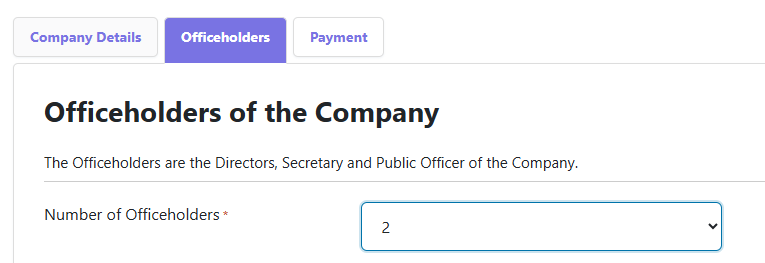
Number of Officeholders
Select how many officeholders (1–6) the company will have. Officeholders are the directors, secretary and public officer of the company.
Officeholder Details (per officeholder)
For each officeholder, complete: Title, Given/Middle/Family Names, whether they have ever changed their name, Gender, and their Role(s) (Director and/or Secretary). A Director ID can optionally be entered — this is a free, unique 15-digit identifier a director must obtain themselves via abrs.gov.au/DirectorID.

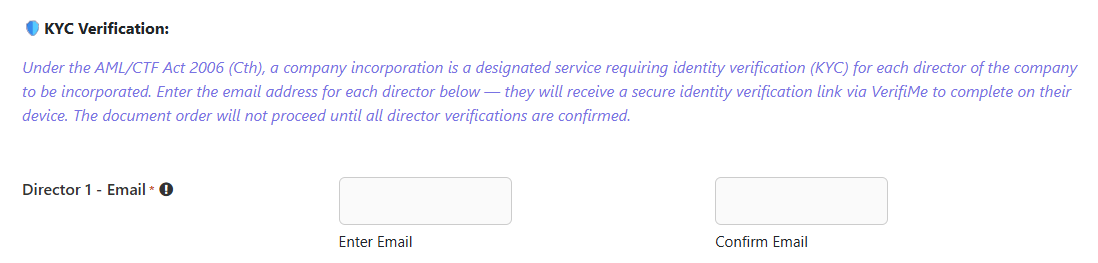
🛡 KYC Verification – AML/CTF Requirement
Company incorporation is a designated service under the AML/CTF Act, so each director must complete identity verification. Enter and confirm an email address for each director — they'll receive a VerifiMe check via email. The order will not proceed until all director verifications are confirmed.
IMPORTANT NOTE:
If you have your own AMLCTF Program and are likely to generate company and trust formation documents on an ongoing basis, it might be worth considering to enter into a Reliance Agreement with Smarter SMSF to order documents - View the AML/CTF knowledge base for more details.
Officeholder Address & Birth Details
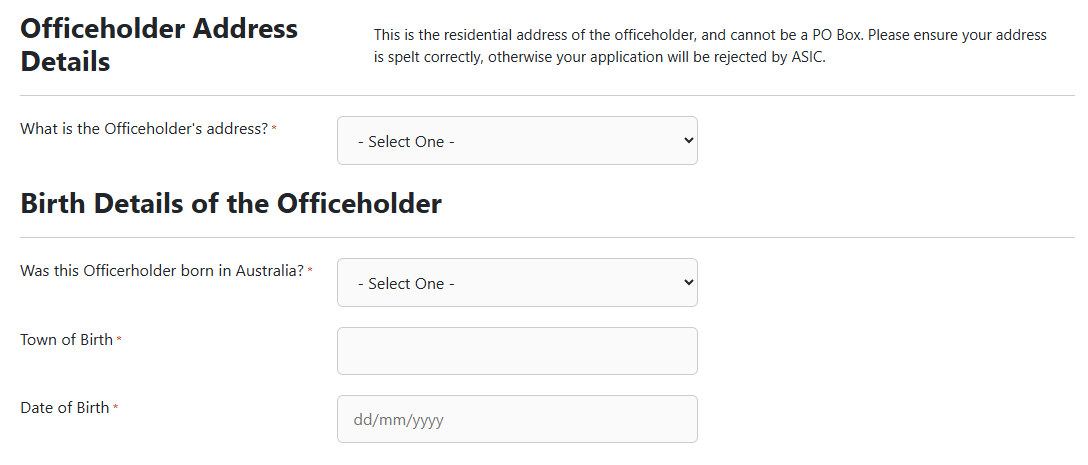
Enter the officeholder's residential address (cannot be a PO Box). Then confirm whether they were born in Australia — if No, a Country of Birth field appears in addition to Town of Birth and Date of Birth.
Shareholders
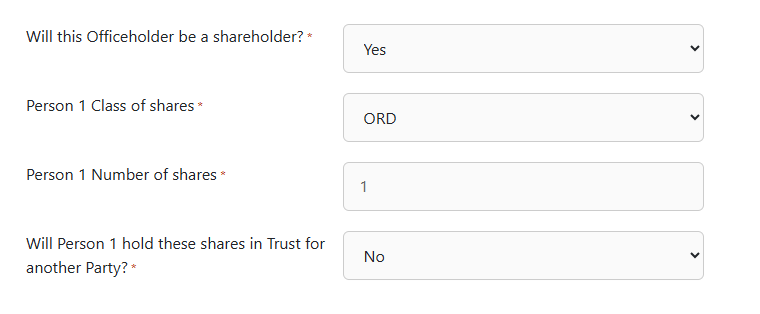
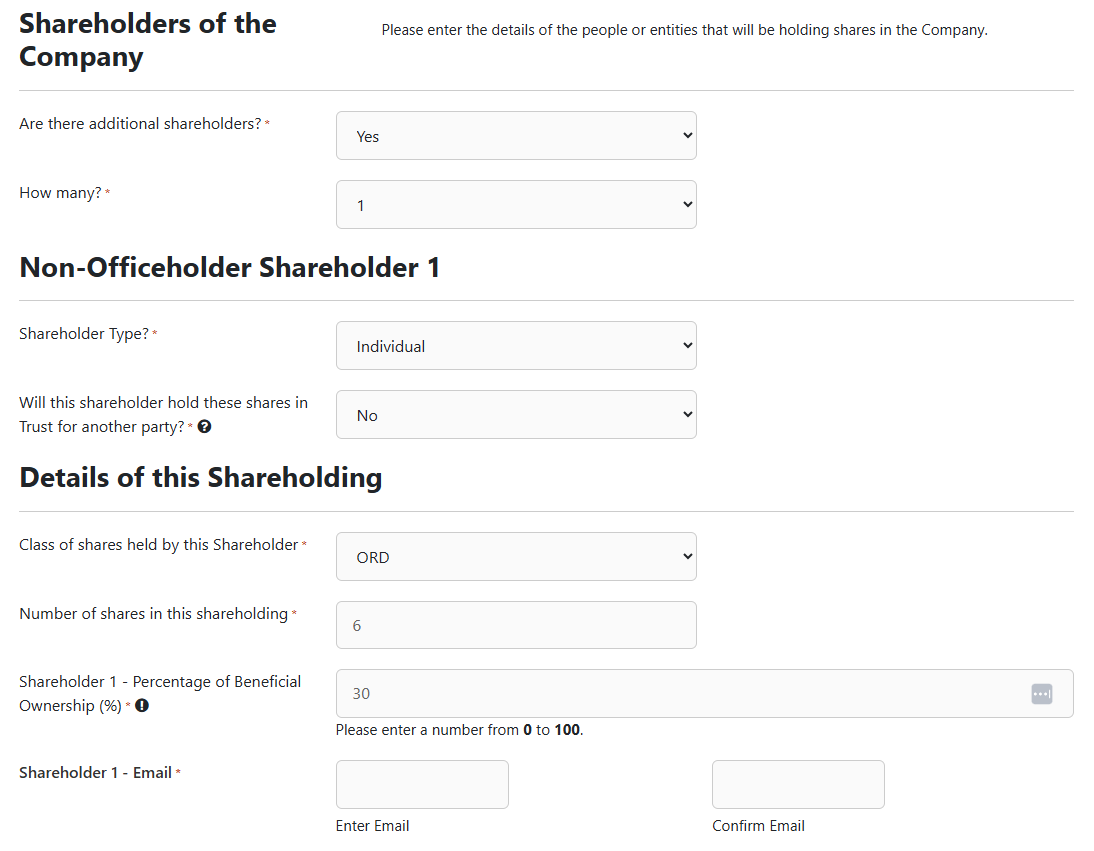
Confirm whether the officeholder will also be a shareholder, and whether there are additional (non-officeholder) shareholders. If yes, select how many (1–6) and, for each, select Shareholder Type (Individual or Company) and whether they'll hold shares in trust for another party. Then enter the class of shares, number of shares, and Percentage of Beneficial Ownership.
🛡 KYC Verification – AML/CTF Requirement (25%+ shareholders)
If a shareholder's beneficial ownership is entered as 25% or more, an Email/Confirm Email field automatically appears to trigger their VerifiMe check — reflecting the AML/CTF requirement to identify beneficial owners at that threshold. Shareholders below 25% are not required to complete KYC. Individual shareholders also require Name, Gender and Address details.
Lodgement Details
Enter the Applicant's Name and Address — this is the person applying for registration, who confirms they hold the necessary consents from all members/officeholders and that the information is true and correct.

Special Purpose Company Declaration
Tick to declare the company is a special purpose company as defined under Regulation 3 of the Corporations (Review Fees) Regulations 2003.

Consent
Tick to confirm the application details are true and correct, and to authorise Smarter SMSF (via CNCNA Pty Ltd) to lodge the application with ASIC on your behalf.

Tab 3: Payment
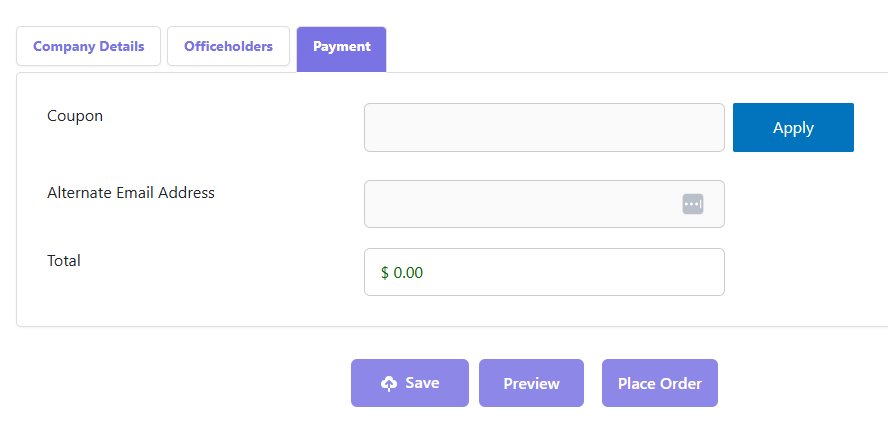
Apply a coupon code if applicable, optionally provide an alternate email address for the receipt, and review the Total before proceeding.
Submitting the Form
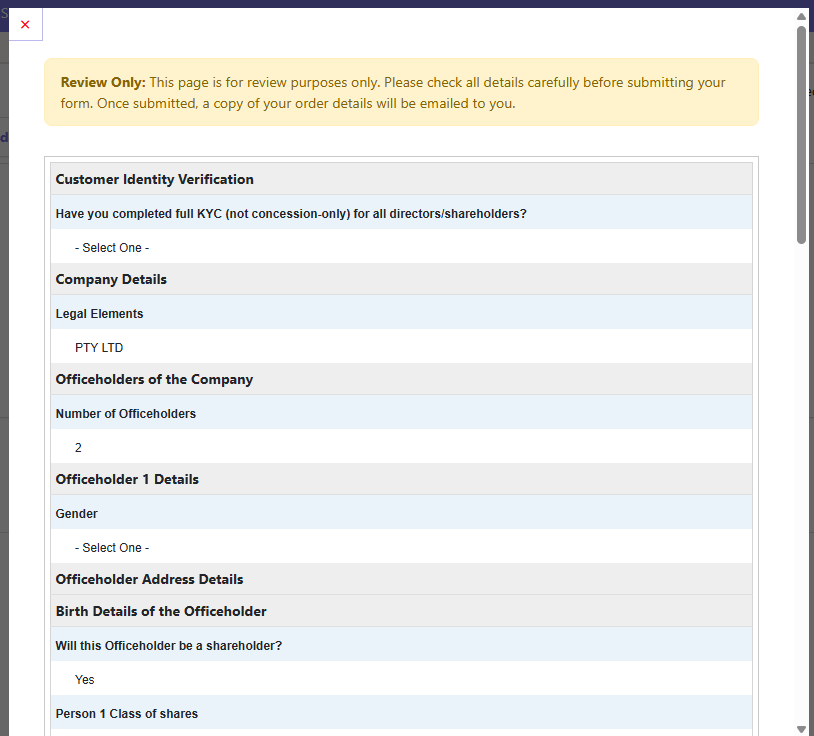
Once all tabs are complete: click Preview to review the order, click Place Order to submit, or click Save to save a draft for later.
AML/CTF Pathways at a Glance
- Pathway A — Reliance Membership in place: confirm via the declaration on the Company Details tab; the order issues immediately with no action required from your client.
- Pathway B — No Reliance Membership: enter an email for each director and each 25%+ shareholder; each receives a Smarter SMSF-branded VerifiMe invite (a 2–5 minute photo ID + selfie check, $6 per person). The order stays "on hold" until everyone is verified, then releases automatically.
Completed Order
The following documents are generated as part of the Company Incorporation (Special Purpose) order:
- ASIC Form 201
- Company Constitution
- Company ancillary documents (including consents, shareholder applications, certificates and registers)
- ASIC Certificate of Registration
Key points to remember:
- Company incorporation is a designated service under Tranche 2 AML/CTF laws (item 6).
- KYC applies to all directors, and to any shareholder holding 25% or more.
- A $6 verification fee applies per person, captured as part of the order — there's no separate invoice.
- There's no fixed review wait on Smarter SMSF's side — once every required person completes VerifiMe, the order finalises automatically; timing depends on your client(s).
This guide is based on the AML – Company Incorporation (Special Purpose) form as it appears on the Smarter SMSF Documents platform. Always check all details carefully before submitting your order.